
The Foundry Nuke Studio

- Windows 7, 8, 10, 11
- Version: 17.0v2
- Size: 3.7GB
- Click to rate this post![Total: 1 Average: 5]You must sign in to vote


- License Type: Full_Version
If you need a good software for compositing, The Foundry Nuke Studio is one of the best choices around. It provides a node-based solution for your projects. It is a combination of Hiero and NukeX which are parts of the Nuke Family that consist numerous products of The Foundry under the Nuke brand.
Firstly announced in 2014, The Foundry Nuke Studio is a tempting choice for anyone who is looking for a decent alternative to Adobe After Effects. Many people find it difficult to decide which of the two software they should use, and there are some who decide to use both software for different tasks.
Features and Highlights
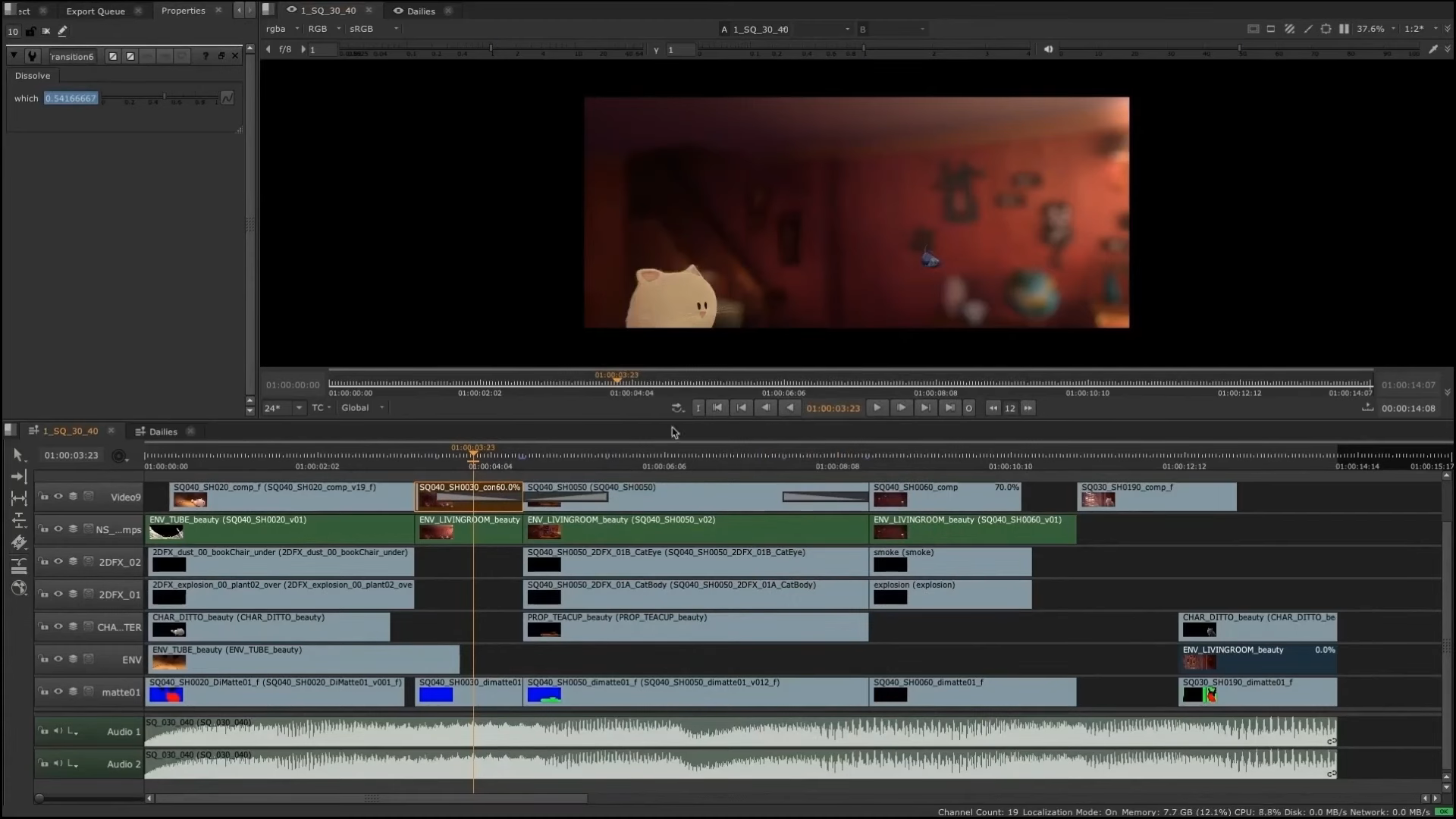
There is more than one environment in The Foundry Nuke Studio. One of them is the Compositing environment which is divided between a Node Graph, Viewer panel, and Properties panel. The nodes are managed in the Node Graph, the properties of each node can be viewed in the Properties panel, and the output can be viewed in the Viewer panel.
In the Timeline environment, there are Projects tab for project management, Menu Bar where you can access some commands, Bin View to view the details of a project, Timeline to view the current track, Timeline Info to view the sequence of current timeline, Editing Tools that provide access to a range of editing tools, and last but not least is the Spreadsheet Tab.
You can switch between the environments easily when you are working on a project, thanks to the linking capability that come with some panels.
The Foundry Nuke Studio has six workspaces. Each of which can be opened simply by pressing a keyboard shortcut that has been assigned by default. For example, Shift + F1 to open the Conforming workspace, Shift + F2 to open the Editing workspace, Shift + F3 to open the Reviewing workspace, and so on.
The workspaces can be customized, like resizing the panes, adding a new panel, creating a new tab when there is no room left in your display, moving a tab, moving a toolbar, turning a tab into a floating window, enlarging the display by going full screen, splitting a pane into two horizontal or vertical panes, and so on.
To keep the custom workspace so that you can use it every time you need it, you can save it under a unique name. The custom workspace will be displayed together with the default ones in a drop-down menu. You just need to click on the name to load the custom workspace. If you don’t need it anymore, you can delete it.
The Foundry Nuke Studio Download for Windows
The Foundry Nuke Studio comes with an enhanced timeline management and dozens of awesome features, and yet the minimum system requirements are quite low. It can run on a Windows PC supported by an Intel Core 2 Duo, 8 GB of RAM, a graphic card with 512 MB of memory, and 5.7 GB hard drive space. You can click the link below to download The Foundry Nuke Studio for Windows:
- App Name The Foundry Nuke Studio
- License Full_Version
- Publisher The Foundry Visionmongers Limited
- Updated May 9, 2026
- Version 17.0v2
Anturis.com is your trusted source for software downloads.

















Leave a Comment