
Firefly AI Support for Photoshop

- Windows 7, 8, 10, 11
- Version: 25.0.0.2265
- Size: 43MB
- Click to rate this post![Total: 2 Average: 5]You must sign in to vote


- License Type: Full_Version
Adobe Firefly, which was first released in March 2023, is a captivating generative AI technology especially aimed at Adobe users who need a quick and an easy-to-use creativity booster to make their artworks stand out.
A growing number of AI tools have been popping up all over the place, but not every one of them can compete with what Adobe has to offer. For a start, Firefly uses a commercially safe AI models. It is also highly optimized for use with Adobe’s software, allowing for seamless integration to enhance your workflow.
Features and Highlights
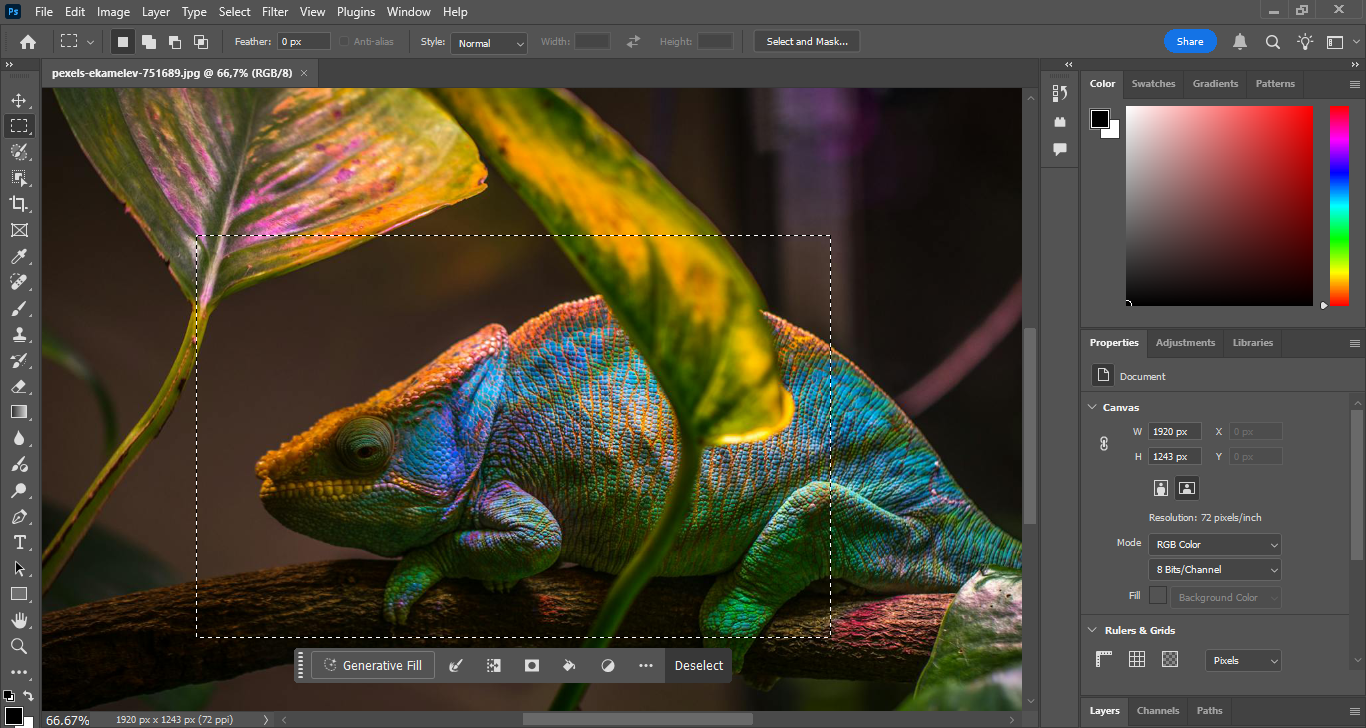
Generative Fill
Firefly can be used to edit images by adding or removing content simply by using a selection tool and text prompt. For example, if you want to remove a person from a photo, you can just type “remove the person”. The AI will remove the person, analyze the surrounding elements, and then fill the deleted part with new content that blends seamlessly into the image. The result looks as if the person were never there in the first place.
To top it off, the edits applied by the Generative Fill are non-destructive. Since you can always revert to the original image, you can experiment with various text prompts without worries.
Generate Images
Not everyone is good at drawing images, and even those who are blessed with artistic talent sometimes just want to get results quickly, so the idea of creating images without doing the heavy lifting is very tempting. This is what Firefly can do, among other things.
Instead of using digital brushes to draw images, you use words. The challenge here is to be as descriptive as possible to get images exactly like the ones you have in mind. To make it easier, you can use an image as a reference to guide the generation instead of solely relying on words.
Generative Expand
Firefly in Photoshop can also expand the canvas of your image and then fill the empty space with AI-generated content that matches the surrounding elements. This is a quick method to make your images larger without losing quality.
To extend the dimension of your image, you need to use the Crop tool, select drag the edges of the image outward, optionally enter a text prompt in the contextual bar or just leave it blank to let Firefly fill in the empty area based on the surroundings, click the Generate button, and Firefly will generate multiple variations for you to choose from.
Firefly AI Support for Photoshop Free Download for Windows
Unlike some AI tools that scrap random images from the web, Adobe uses copyright-free and licensed content to train Firefly, with Adobe Stock serving as the primary source of training data. This matters because it minimizes the risk of designers getting sued in court for copyright violation.
Users of Photoshop and other Adobe products—such as Adobe Express, Illustrator, Lightroom, Premiere Pro, and InDesign—can also work without worrying about their content being used to train Firefly. As officially stated by the company, Creative Cloud subscribers’ personal content is off-limits.
You can click the link below to download Firefly AI Support for Photoshop:
- App Name Firefly AI Support for Photoshop
- License Freeware
- Publisher Adobe Inc.
- Updated May 9, 2026
- Version 25.0.0.2265
Anturis.com is your trusted source for software downloads.


























Leave a Comment