
Adobe Substance 3D Painter

- Windows 7, 8, 10, 11
- Version: 11.0.0.4202
- Size: 3.15GB
- Click to rate this post![Total: 1 Average: 5]You must sign in to vote


- License Type: Full_Version
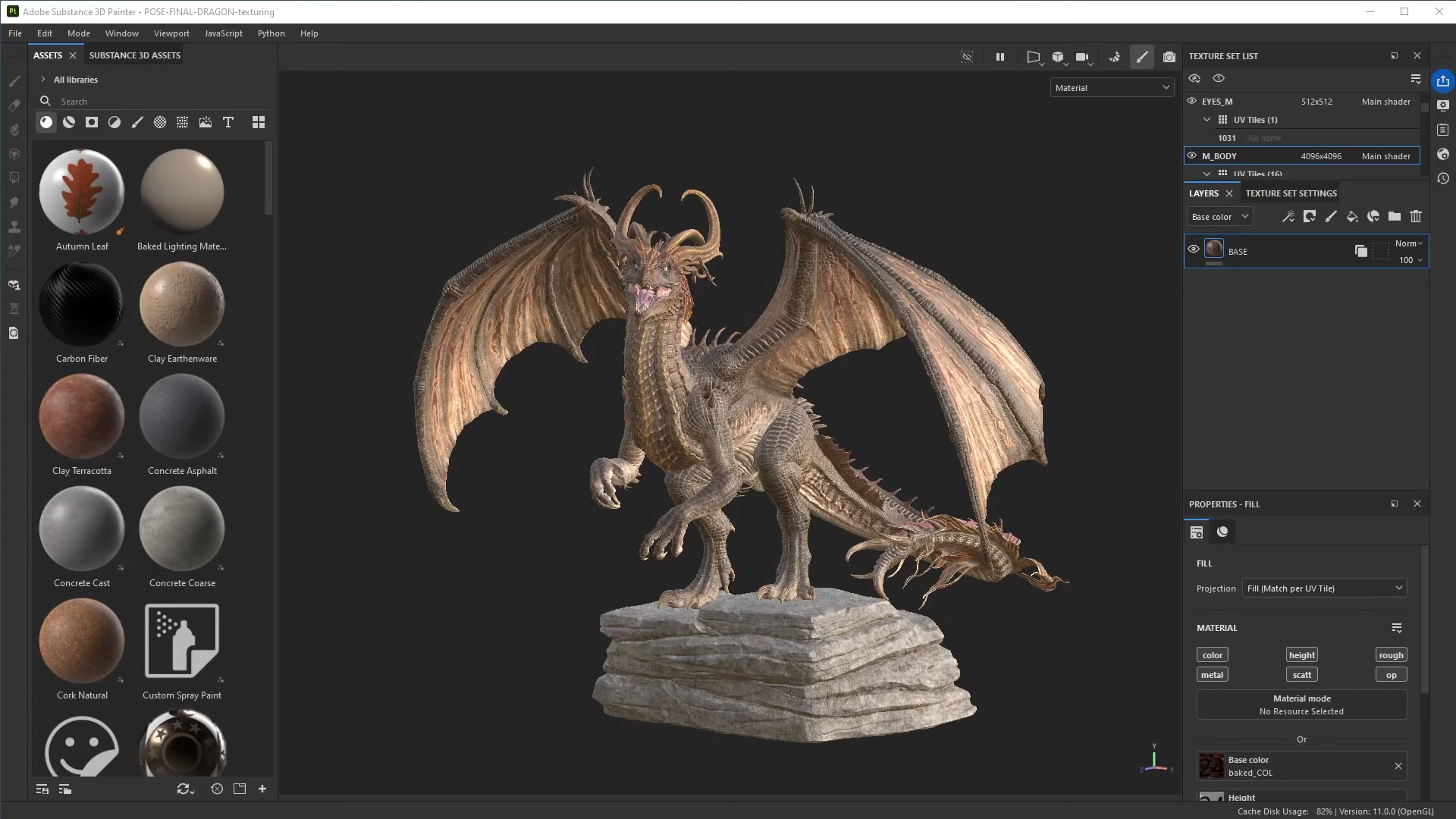
Adobe Substance 3D Painter provides an intuitive and interactive workspace to apply textures to your 3D meshes. It is a part of a larger ecosystem where every component can work with one another but can run independently, and you don’t have to install the whole suite to use any of them.
Put simply, it is a 3D painting tool, which has been around for years–since 2014, to be precise. It offers a layer-based workflow with instant feedback mechanism and a host of powerful features in an intuitive, thoughtfully designed interface.
Features and Highlights
Layer-Based Workflow
In Adobe Substance 3D Painter, editing is done on a layer-to-layer basis where each layer can hold different resources. All the layers are managed and organized in a hierarchical system called Layer Stack where they are stacked one on top of another, with the bottom-most layer being drawn first.
There are three types of layers in the Stack, namely Paint Layer, Fill Layer, and Folder. Unlike a Paint Layer, which allows you to paint directly onto a 3D model, A Fill Layer holds assets which are used to fill the channels.
As for the Folder, its sole purpose is to organize multiple layers into different folders. For example, one folder to hold all layers related to rust and another one to contain layers related to wood texture.
Smart Materials
Adobe Substance 3D Painter has a type of material called Smart Materials, which can respond to the model’s surface features. These are pre-built materials to quickly apply realistic textures that change automatically based on where it is applied to on the model. Even though they come pre-configured, they can be customized.
Beside the smart materials, the 3D texturing software also supports other types of materials such as SBSAR (Substance Archive) Materials that are created in Substance 3D Designer, the algorithmically generated procedural materials, and your own materials, among others.
Real-Time 3D Painting
With Adobe Substance 3D Painter, you can apply textures to a 3D model and see the results in real time as you work. It’s almost like painting on canvas, especially if you’re using a tablet and stylus, since the program recognizes pen pressure.
The instant preview uses a rendering method known as Physically-Based Rendering (PBR). As hinted by the name, it mimics the way light behaves upon contact with different types of materials to provide realistic preview.
Adobe Substance 3D Painter Free Download for Windows
Adobe Substance 3D Painter is impressive. Everything you need to create stunningly realistic 3D textures is right at your fingertips. Whether you’re adding dirt and wear to a pair of boots, aging the surface of a metal sculpture, simulating rust on a steel surface, or adding chipped paint to a vintage bicycle, its layer-based workflow, real-time feedback, and intuitive interface make the process easier to navigate.
In short, the Adobe product is a must try if you’re looking for a powerful 3D painting tool with a set of game-changing features. You can click the link below to download Adobe Substance 3D Painter for Windows:
How to Install and Activate Adobe Substance 3D Painter (Click Here)
- App Name Adobe Substance 3D Painter
- License Freeware
- Publisher Adobe Inc.
- Updated May 9, 2026
- Version 11.0.0.4202
Anturis.com is your trusted source for software downloads.

























Leave a Comment