
MAGIX Video Pro X17

- Windows 7, 8, 10, 11
- Version: X17
- Size: 5.92MB
- Click to rate this post![Total: 1 Average: 5]You must sign in to vote


- License Type: Full_Version
Plenty of video effects are available in MAGIX Video Pro X17, and there are a good selection of exciting tools to help improve your video. Its support for 8K Ultra HD offers the highest image quality that is capable of displaying the finest nuances of color.
Magix dedication to follow the latest technology trends makes it possible to develop a video editing software that provides a large number of features and decent performance. The ease of use helps beginners and professionals alike to take advantage of all the capabilities it has to offer without having to spend too much time in understanding every function available.
Features and Highlights
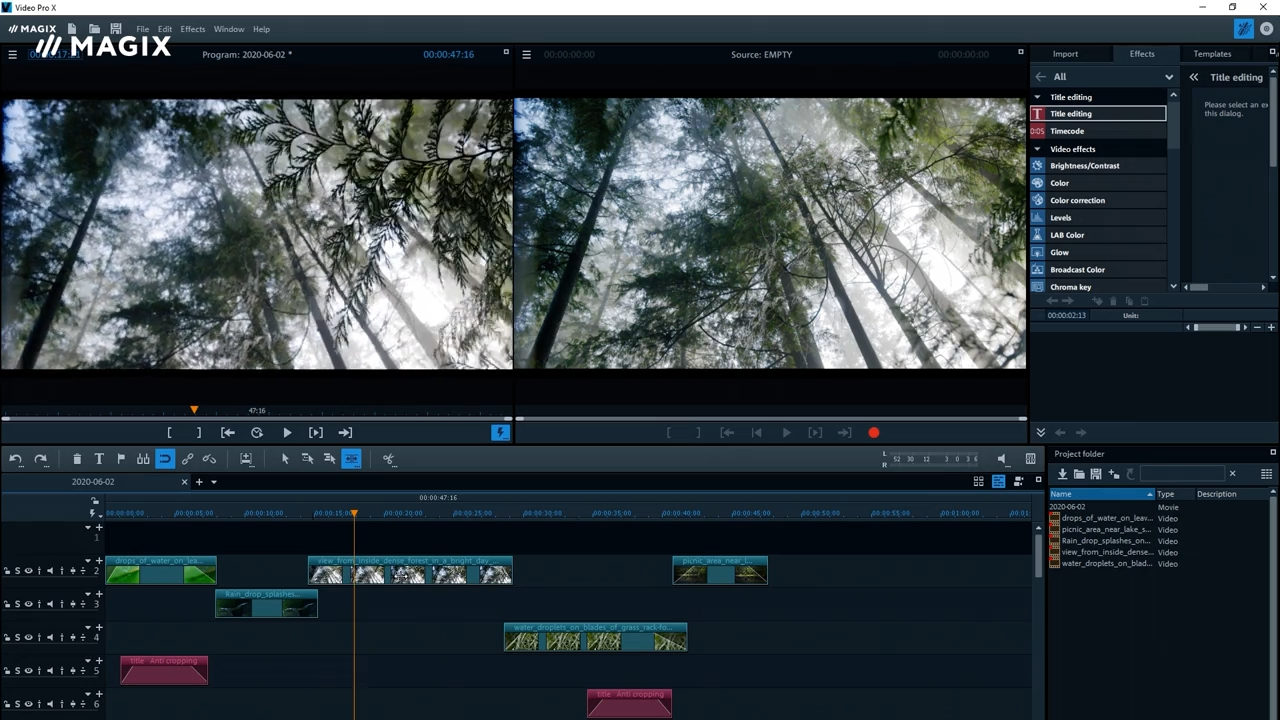
MAGIX Video Pro X17 boasts the Hyper Encode technology support which is claimed to be able to increase the encoding speed. Regardless of how much the program can actually boost the speed, it is still an improvement that all video editors should appreciate.
One of the improvements in MAGIX Video Pro X17 is the timeline response speed. The new timeline allows you to navigate through a very long timeline faster and smoother than it used to be, offering a more enjoyable experience in editing videos.
Having many video effects is a welcome addition to any video editor. Yet, the huge number may pose its own problem when you have something specific in mind and try to locate the most suitable effect that you know exist somewhere in the library. This is where the intelligent search tool shines the most. The search will be faster if you know the exact name of the effect, but even if you don’t it will provide suggestions based on anything you type in the box.
When you try to find the perfect effect for a video, you might come across a number of cool effects that will probably suitable for other projects. If you do, you can save the effects in your favorite list so that you won’t have to struggle to find them in the future.
MAGIX Video Pro X17 supports multicam editing too. It is a type of editing where multiple videos of an event taken from different angles are edited together. This is not useful for casual users who usually only have one footage of an event, but it is definitely handy for those who often have to shoot an event using a number of cameras.
Editing video can take a lot of time. To help users save time, aside from boosting the overall performance, MAGIX Video Pro X17 provides a large number of action templates that can be applied to any video to achieve the desired effect.
MAGIX Video Pro X17 Free Download for Windows
MAGIX Video Pro X17 comes with a new transition menu and start dialog, as well as the ability to export chapters individually instead of the entire movie, detect vertical videos, stabilize 360 degree videos, find gaps between clips so that you can edit them, split and trim videos, pick color, correct color, play HEVC and AVC in real time, add layer masks, and many more. You can click the link below to download MAGIX Video Pro X17 for Windows:
- App Name MAGIX Video Pro X17
- License Shareware
- Publisher Magix
- Updated May 9, 2026
- Version X17
Anturis.com is your trusted source for software downloads.


















Leave a Comment