
Epson AM-C4000 Driver
- Windows 7, 8, 10, 11
- Version: AM-C4000
- Size: 174.57 MB
- Click to rate this post![Total: 1 Average: 5]You must sign in to vote


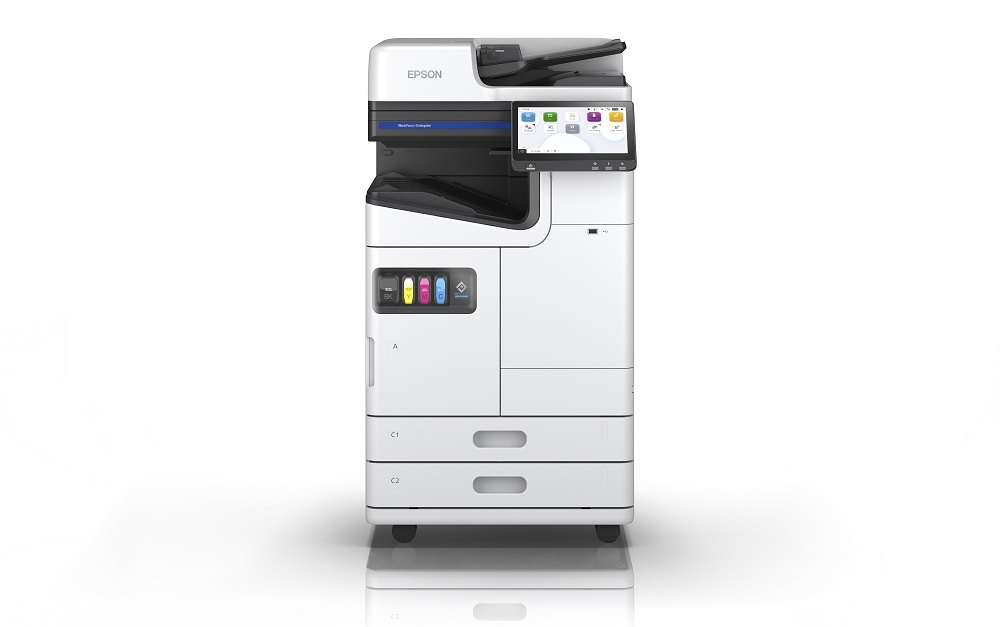
The Epson AM-C4000 stands out for delivering enterprise-level performance without taking up excessive space. It boasts one of the smallest footprints in its class and features a modular, sculpted design that adapts to varied office layouts.
Its compact nature, combined with energy-saving architecture, makes it ideal for departments where space is at a premium and environmental concerns are a priority. Its flexible connectivity makes the printer highly convenient to use.
Features and Highlights
Speed and Productivity
At the heart of the AM-C4000 is Epson’s PrecisionCore Heat-Free technology, which enables a remarkable print speed of 40 ISO pages per minute in both black and color. The first page is delivered extremely fast, eliminating warm-up delays often seen in laser printers. This makes it well-suited for high-volume environments needing consistent output.
Performance and Reliability
Built for steady workflow, the printer supports a recommended monthly volume of 6,000 to 60,000 pages, making it a dependable workhorse for medium to large teams. It’s engineered with a simplified mechanism and a short paper path, reducing movement parts and minimizing jam-related downtime
Print Quality
The AM-C4000 uses DURABrite Pro pigment ink, known for its fast-drying, water-resistant properties, ensuring sharp black text and vibrant colors. The output reaches up to 600 × 2400 dpi, delivering professional-grade clarity for both standard documents and visuals.
Connectivity
The Epson AM-C4000 offers versatile connectivity including Ethernet, Wi-Fi, and mobile printing via Apple AirPrint, Mopria, Epson Smart Panel, and Epson Connect. With these options, printing becomes a lot more convenient. Whether you are in the same room as the printer or not, even if you are somewhere far away, you can still use the printer.
Two-Sided Printing
Two-sided printing is a bit like having a helper who knows exactly how to make the most out of every sheet of paper. You just send the job to the printer, and it quietly works through both sides without asking you to shuffle or flip anything. It works well for things like instruction sheets, multi-page forms, or long lists that would otherwise pile up quickly. Using both sides means you go through less paper, keep costs down, and end up with smaller stacks that are easier to sort, file, and carry.
Epson AM-C4000 Driver Free Download
If you are looking for a printer that can keep up with a busy office while keeping costs and energy use in check, the Epson AM C4000 is worth a serious look.
It is designed to handle high volumes without feeling complicated, and its media flexibility means you can move from everyday documents to specialty jobs without slowing down. Add in its smart features, fast performance, and low environmental impact, and you have a machine that can make printing feel less like a chore and more like a smooth part of your workflow.
Even a high performance printer like the AM-C4000 cannot work with a computer without its driver. Only with a proper installation of the driver, you can use all of its features. You can click the link below to download Epson AM-C4000 Driver for Windows:
- App Name Epson AM-C4000 Driver
- License Freeware
- Publisher Epson
- Updated Jan 16, 2026
- Version AM-C4000
Anturis.com is your trusted source for software downloads.

















Leave a Comment